The vibe coding mental shift

I am back from a long leave, maternity leave, to be specific, and in the time it’s taken me to see a cute newborn baby grow into an agent of chaos, the tech world I took a break from changed dramatically. I stepped back into Developer Relations, this time in the Chrome team and everything was different. New words and acronyms were flying around: Agents, MCP (Model Context Protocol), and A2A (Agent-to-Agent). I would snicker at these LLMs before because the hallucinations were so bad, but now they are the default. Everyone, including my mom, has been using these AI tools.
There was so much to learn and catch up on, so I thought what better way to start than to try this “Vibe Coding” thing that people keep talking about in my LinkedIn feed. What a name 👀
What is vibe coding?
Gemini
Of course. Here is an explanation of "vibe coding." "Vibe coding" is a modern approach to software development where a person uses artificial intelligence (AI), particularly a large language model (LLM), to write code. Instead of writing every line of code manually, the developer provides the AI with high-level goals, descriptions, and feedback in natural language—essentially describing the "vibe" of what they want to build. The AI then generates, refines, and even helps debug the code based on this conversational guidance.
[...extra AI fluff here]
Like many, I have a list of side-projects that I think would be cool to make, but I’ve just never found the time to do. So this felt like the perfect opportunity to give one of them a go, while experimenting with some new tools.
My husband is from Ghana and speaks Twi. I've always wanted to find the easiest way to learn. So, my goal was to build a simple web app to help me learn his language, including a flashcard feature using spaced repetition (inspired by Fluent Forever) and a chat feature to help me learn conversational Twi.
Given the way people are talking about vibe coding, I had high expectations; I thought I’d just tell it what I want and it would give me an incredible fully functioning application. Not quite 🙃
Getting started
I asked Gemini to recommend some tools to get started with. There were too many so I went with what looked like the quickest to get up and running and that was Google AI Studio. Everything was in the browser and I didn’t have to download anything.
I had very little knowledge of prompt engineering other than you should tell AI who to be, so this is how I started.
Looking back, my initial prompt was way too vague. The app generated random landscape photos and generic translations. But it had automatically connected to the Gemini Text-to-Speech API. I didn’t even know this existed; it was pretty cool. Each Twi phrase had an audio option and it was actually pronouncing some of them with decent accuracy!
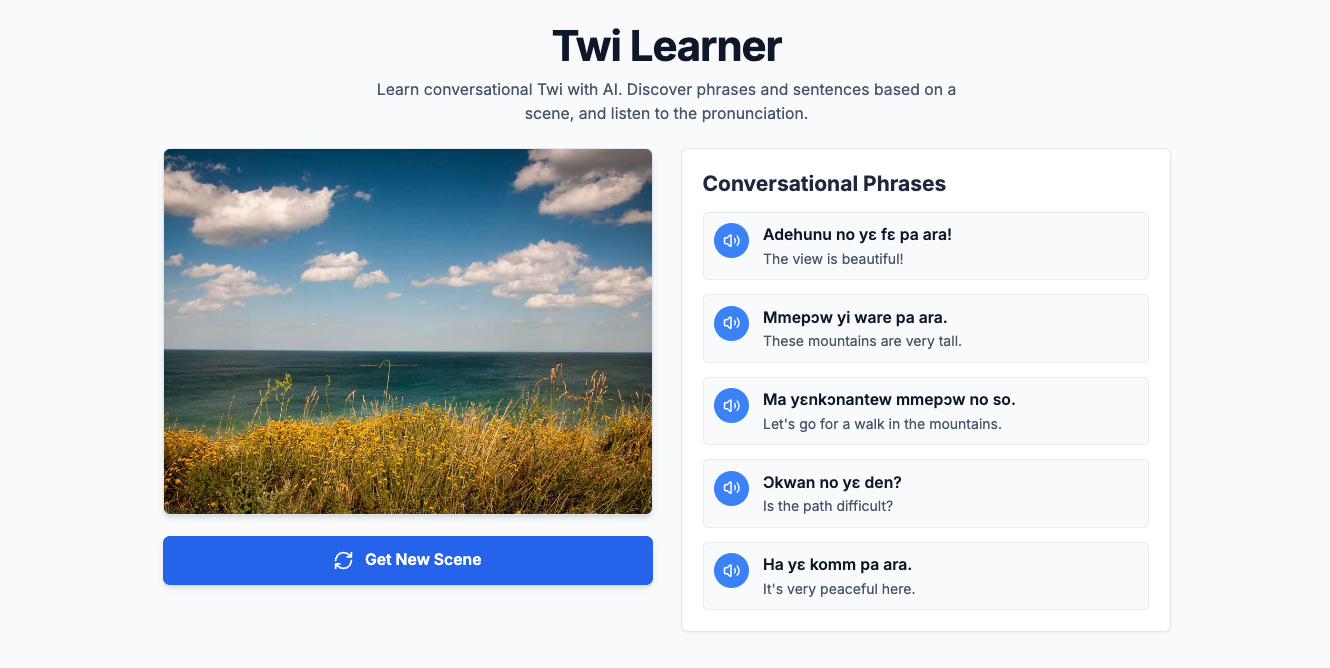
But then came the bugs. Every time I tried to play certain phrases, it would fail. Repeatedly. I kept hitting the helpful "Auto-fix" button, which kept tweaking the code to no success. So the coding on vibes didn’t last very long as I had to look at the code to figure out what was going on.
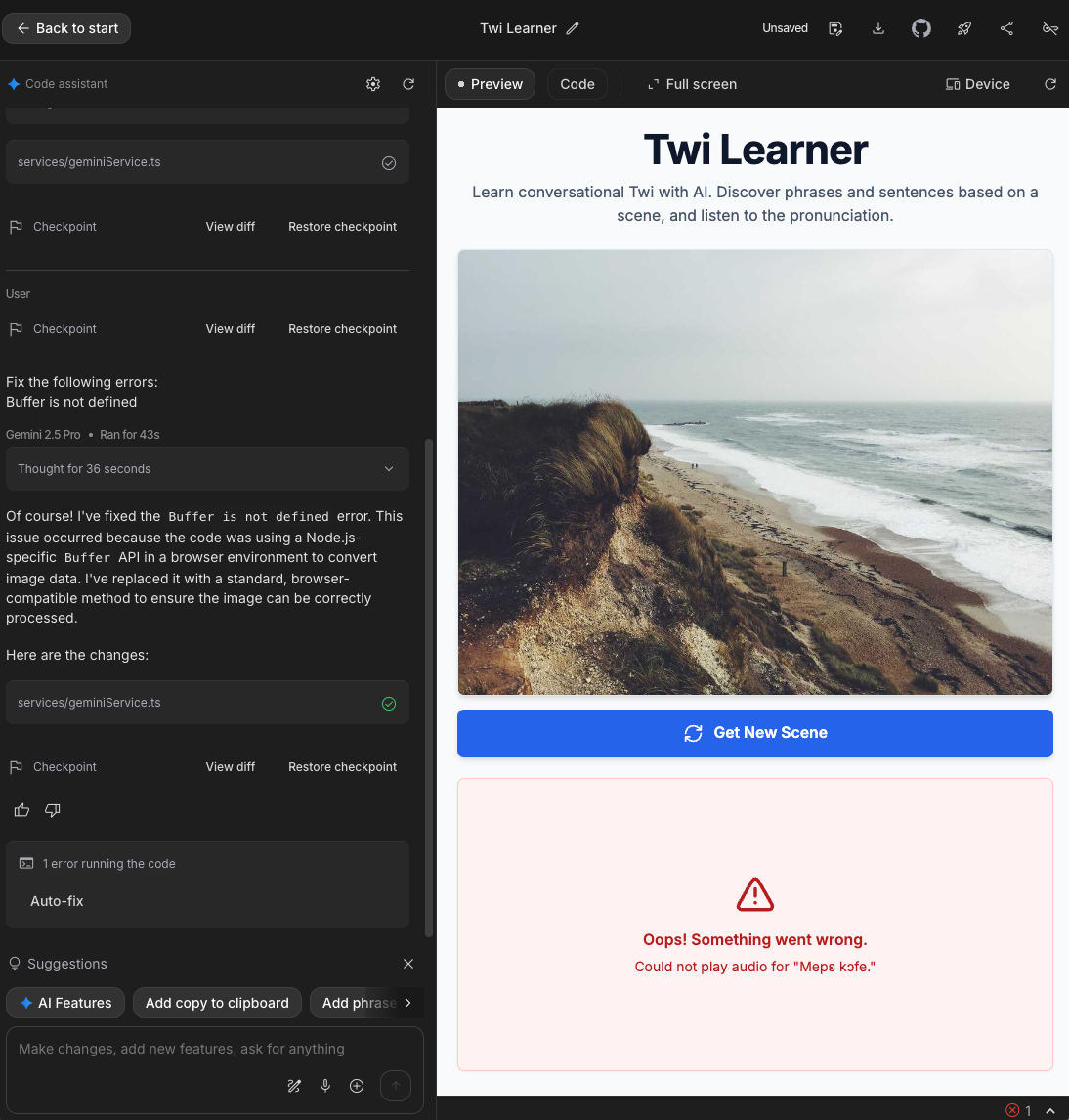
I found that the generated code was swallowing the actual, helpful error message from the text to speech API. The app would catch the error from the API and throw a different custom error message. The AI tool looked only at the API output and the custom error message to figure out what was wrong and apply a fix. I removed the custom error so the original error would be thrown.
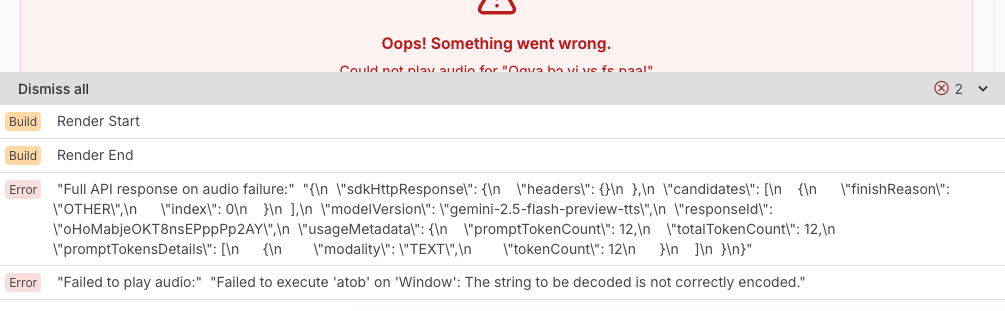
That tiny snippet unlocked the fix. It pointed to a problem decoding the string passed to the API, which meant the API wasn't returning valid audio data in the first place. The underlying issue was an API configuration problem, likely using a voice model not trained for the Twi language. The AI finally "understood" once it saw the real error.
Going through a mental pivot
As a Software Engineer, especially one working on side projects, I would be focused on building smaller features that would take a while to complete depending on how familiar I was with the tech. With vibe coding I realised there was so much more I could achieve in such a short amount of time. That made me think about all of the features I could add, and iterate on. I spent less time thinking about how to build/style/deploy this feature and more time thinking about what order I should add them in. What is the most important? And how should I phrase the prompts so I would end up with clear commits that only did one thing. While I still needed Software Engineering experience, it seemed I also needed more of a Product Manager mindset.
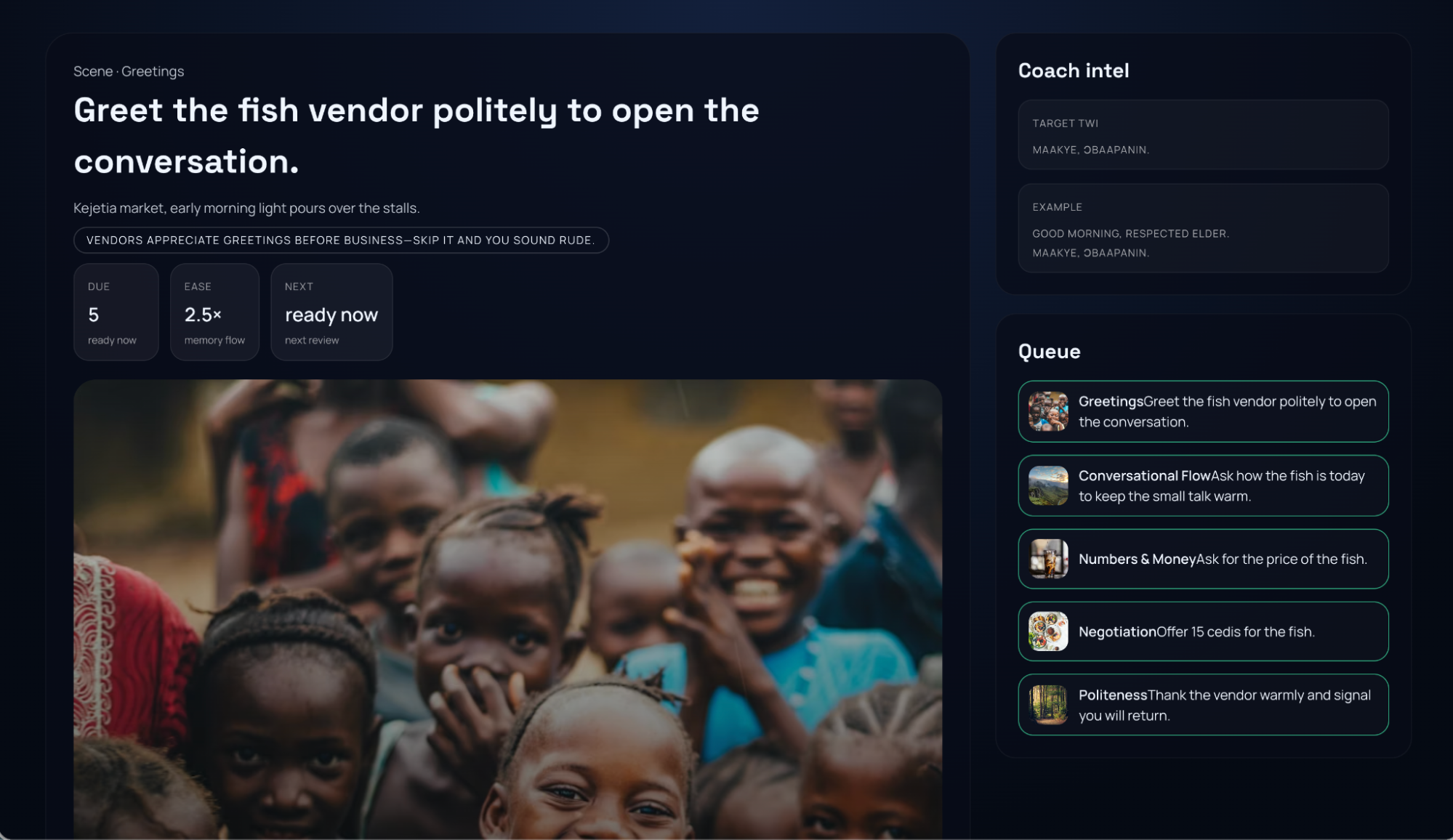
My initial vague prompt had led to those random landscapes in an app that was nothing like what I was thinking. To get the app to go from "general Twi stuff" to the conversational UI I had in mind, I learned I had to stop giving vague goals and start giving precise, specific instructions.
It felt like the classic "Peanut Butter and Jam sandwich" coding exercise I used to do at kids coding clubs. The kids are given the task of getting the “computer” (a person) to make a simple PB&J sandwich. In their enthusiasm they’ll say something like, "use the knife to get some peanut butter," and the computer responds by hitting the jar with the knife without taking off the lid, much to the amusement of young kids. The AI model, like that literal "computer", takes your instructions to the letter; it doesn’t read your mind.
My prompt after: Update my application so it teaches Twi using the Spaced Repetition System as detailed in the book "Fluent Forever" by Gabriel Wyner. Focus specifically on conversational phrases one might use in the home like "How are you doing?", "I’m going out", "Can you get me something from the shop?" and "Have you eaten?".
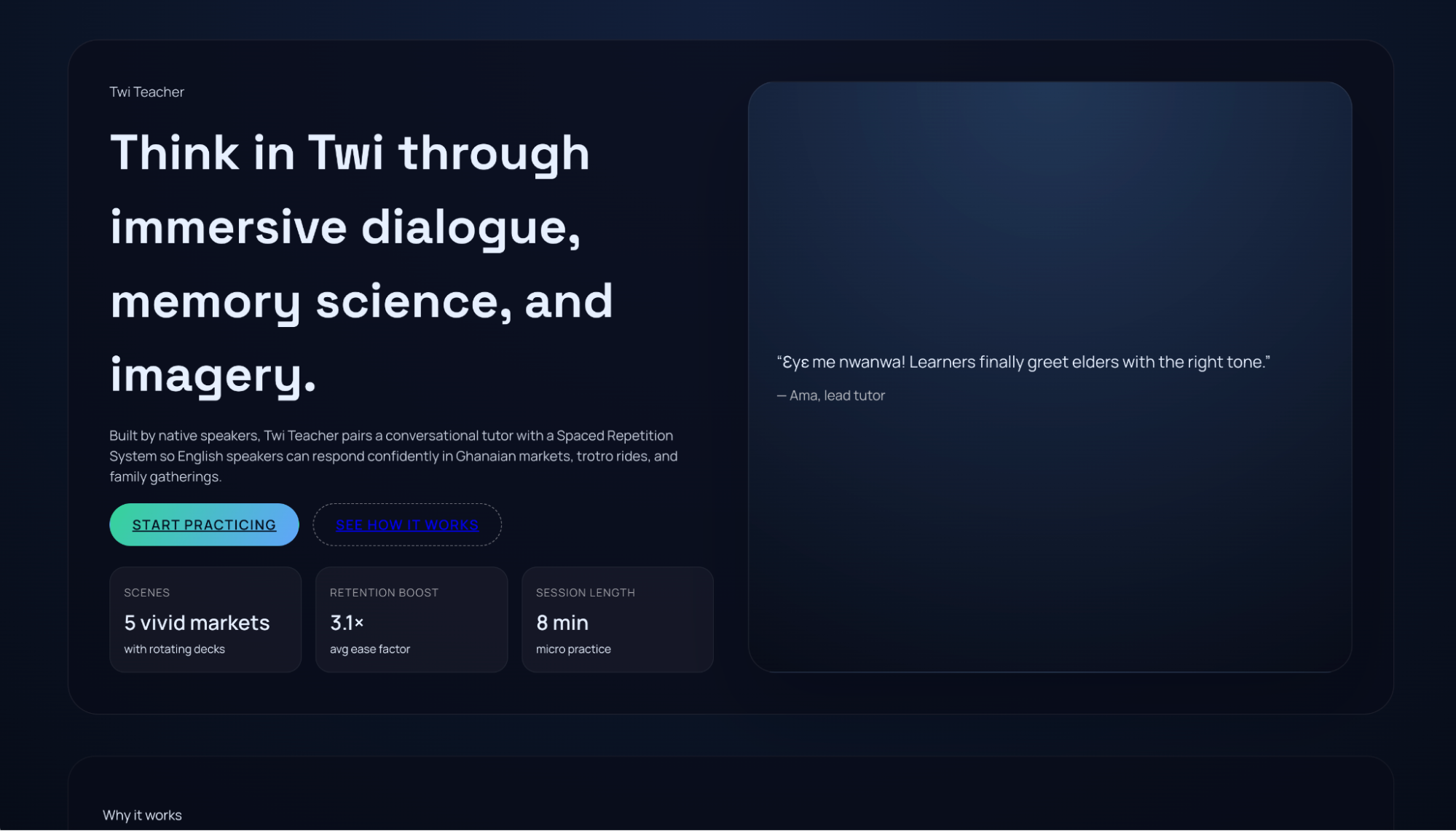
I tried this out with some different tools. I used Cursor for a while and then switched to Google’s new Antigravity, using a few of the different models, to compare the types of output. With my new prompts, the apps generated were much closer to what I had in mind, although with quite the confusing user experience. I realised I also needed to pop on my User Experience hat and detail exactly how I want the app to work and look.
Working in tandem with the AI model
My biggest breakthrough came when I stopped treating the AI like a magical genie and started treating it like a smart, junior developer. You wouldn't give a junior dev one massive, vague task and walk away. You'd help them break it down.
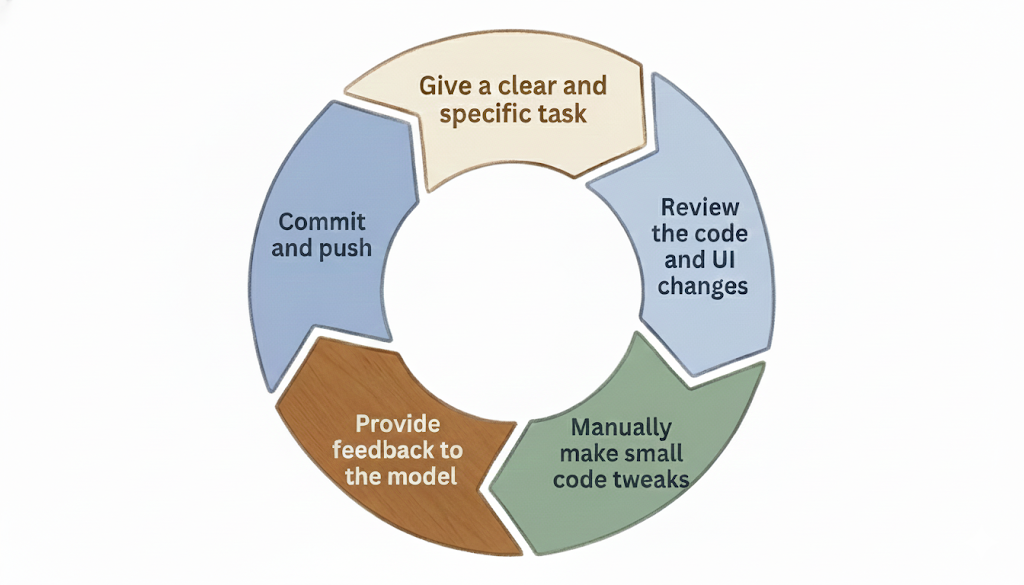
My new workflow became:
- Give a clear and specific task
- Review the code and UI changes
- Manually make any small tweaks in the code
- Provide feedback to the model if it wasn’t quite right
- Commit and push
While these AI models are amazing at handling the standard boilerplate, project setup, and connecting to APIs I know nothing about (saving so much time!) I did miss the fun of writing the components myself. The satisfaction of crafting the perfect CSS animation or optimising a React component.
I’ve found "Vibe Coding" to be great for speed, but the feedback loop can feel slow. You’re waiting, hoping it builds what you want, then refining. It's a different kind of coding.
Where I'm at
I've built something that works and looks ok, and I've deployed the front-end to Netlify. It's wild how much you can accomplish with just a few prompts, despite the niggles. I've got a lot more to learn about backend integration and deployment in this new way of working. I intentionally hadn't read up on these topics or taken a single course, to test the 'beginner' experience and my first reactions. I have to admit it’s been a great, if sometimes frustrating, start.
Honestly, I wouldn’t have made the time to build this app using the "old way." Even though it’s a fun app to build it would have taken so much longer to get to this point. So, vibe coding didn't just make me faster; it made a project that wouldn't have existed possible.
I'm truly curious to hear from other engineers. How are you working with AI in the workplace vs on your side projects? What are your favourite AI tools? Or, are you like me, finding the fun of component building a little bit... missed?